Catch mistakes early
Keep your reference close and compare often, before small differences in proportion or placement become harder to correct.
 Wild Fox
Free Android appFor paintersMade by an artist
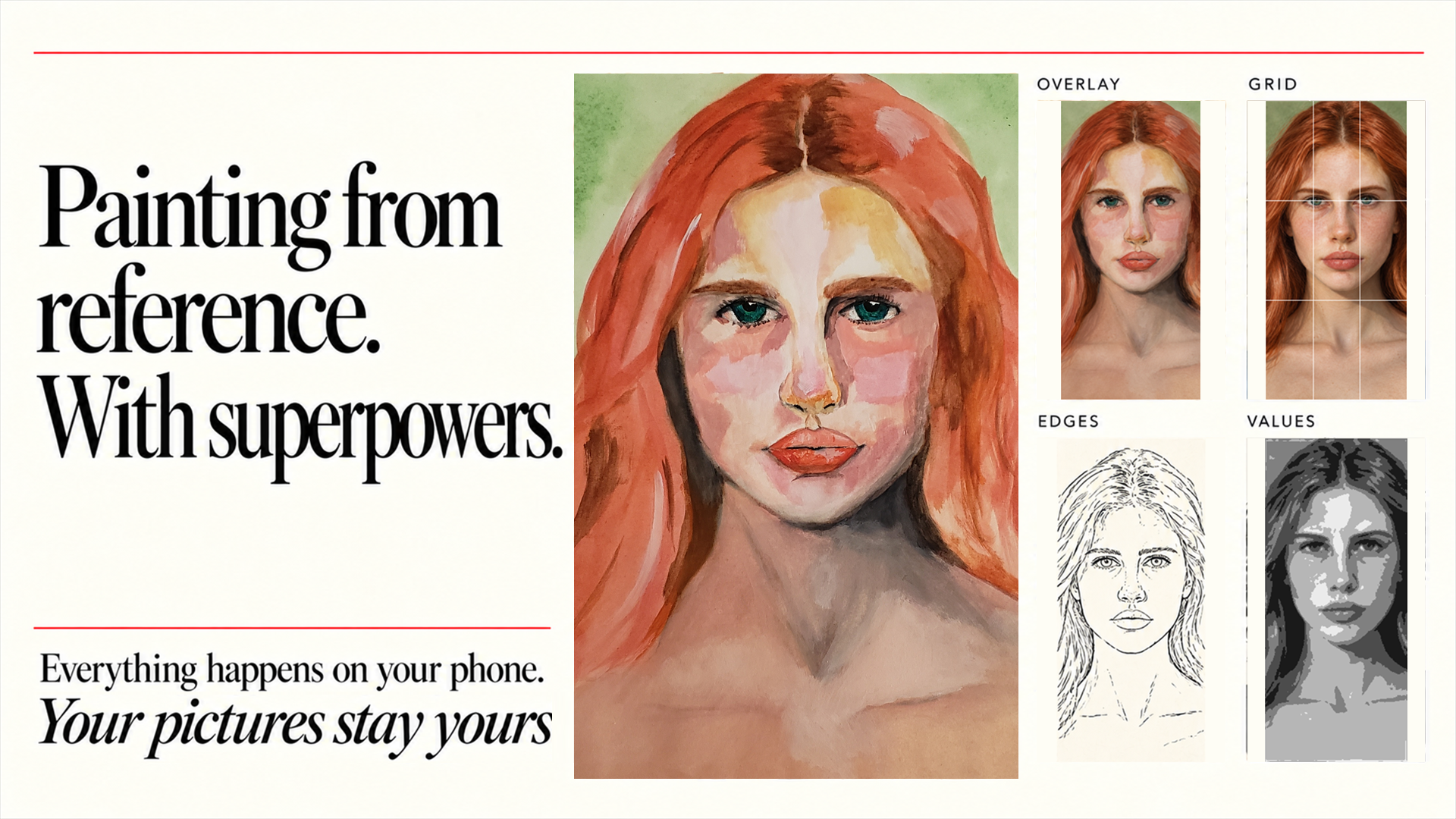
Painting from a reference photo? Grisaille lays your reference over your canvas through your phone's camera, so you can spot proportion, value and alignment mistakes while there is still time to fix them.
Get Grisaille on Google PlayBuilt around the reference
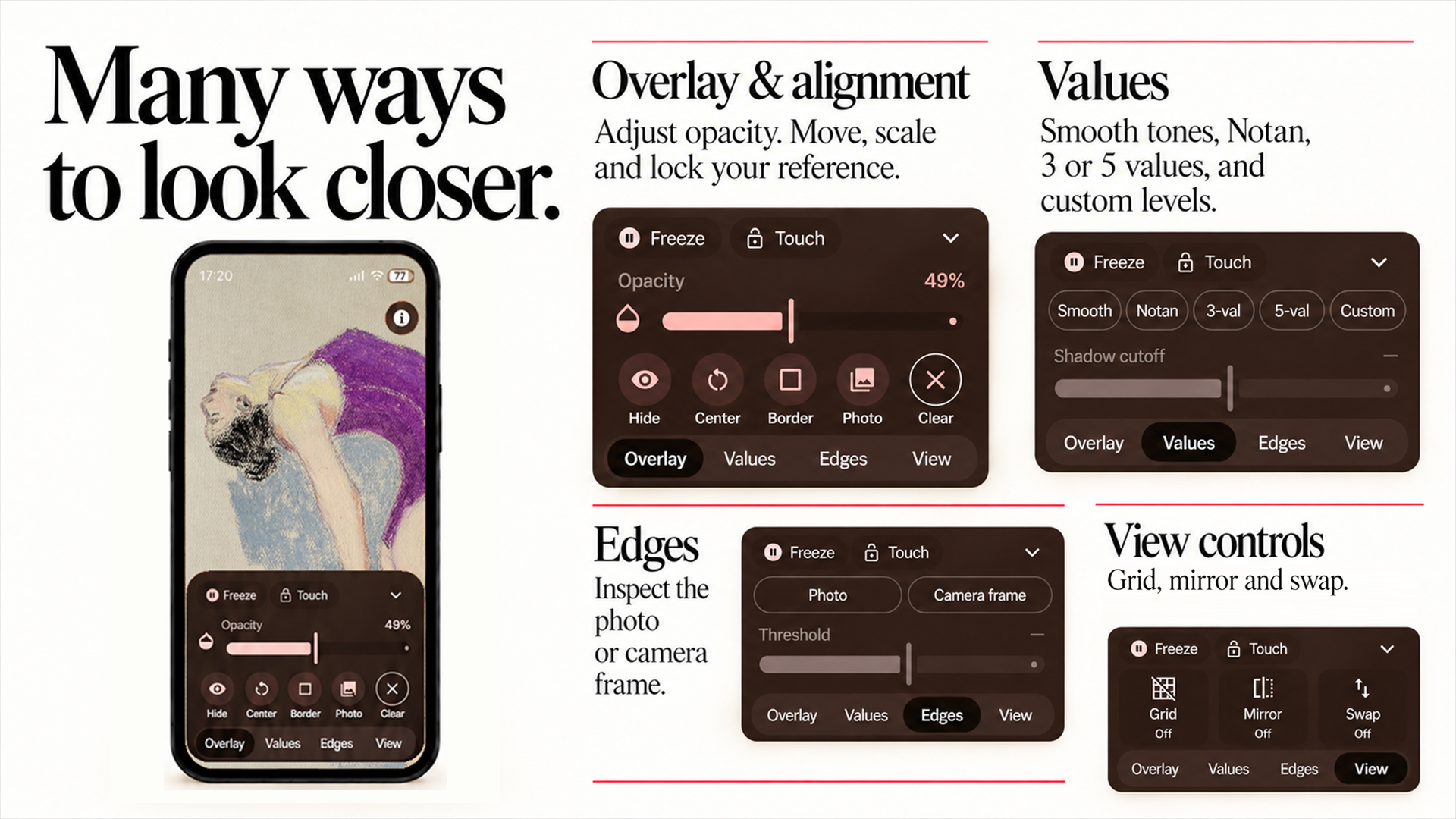
Grisaille is a free Android app for artists who paint and draw from reference photos. It makes the most of your reference image and your camera at the same time, putting practical comparison tools beside your canvas or paper. It works fully offline, with no account. Use the focused views below to check the decisions that make an artwork hold together.
Keep your reference close and compare often, before small differences in proportion or placement become harder to correct.
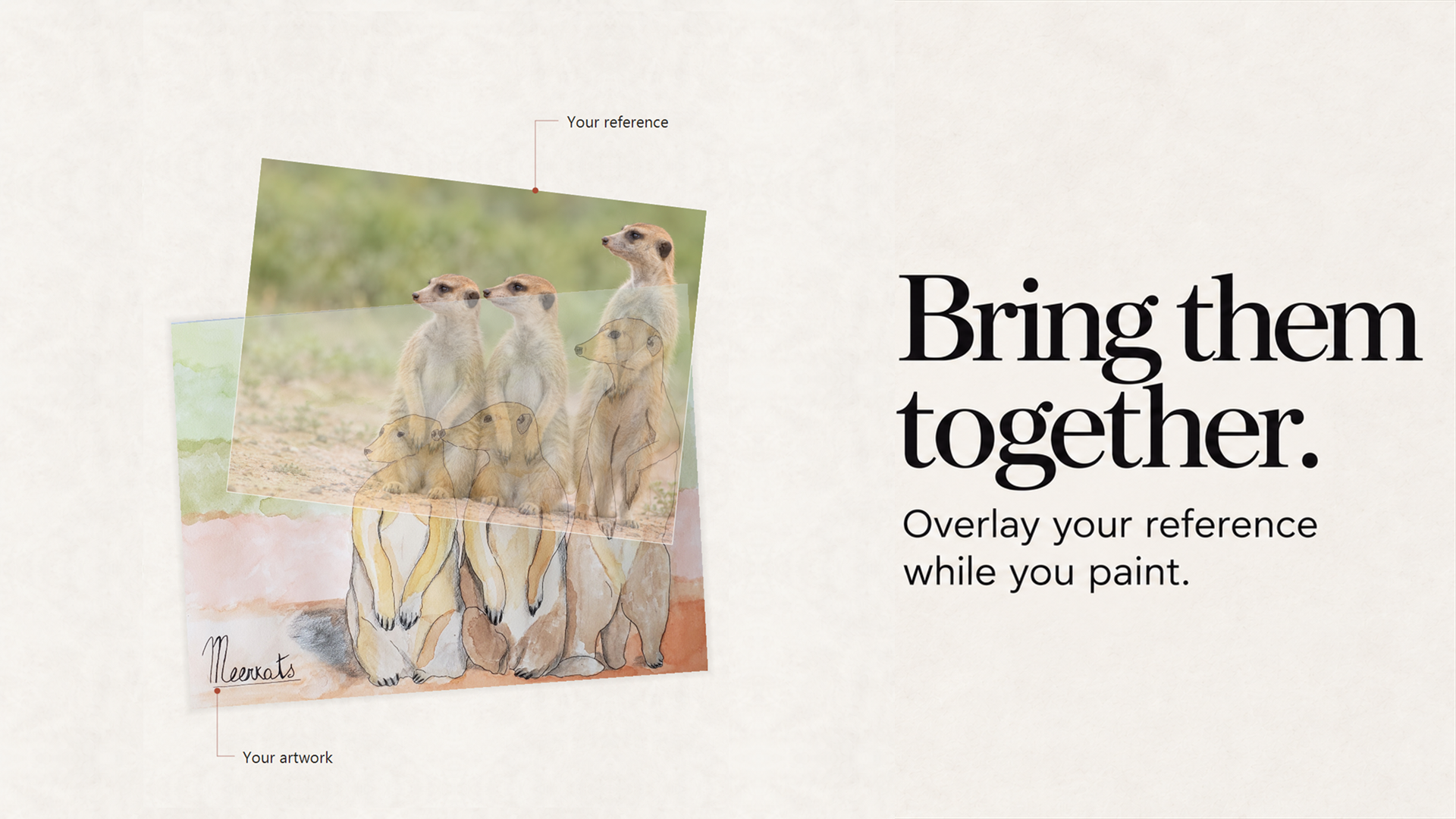
Lay your reference photo over the live camera view of your canvas or paper, then blend the two with adjustable opacity to reveal misplaced features and drifting proportions.
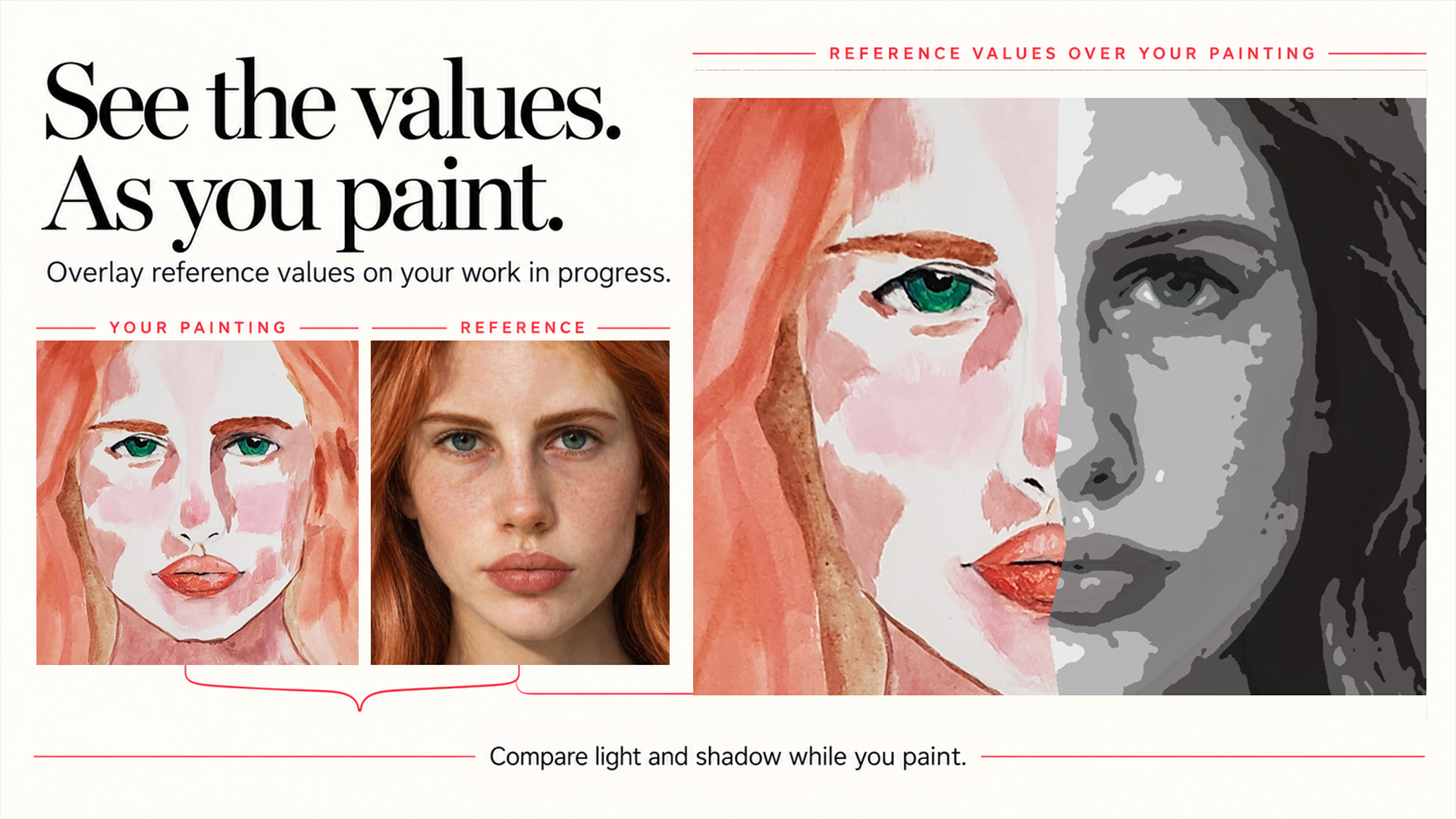
Turn your reference into a value study: smooth grayscale, a two-value notan, or three or five value groups. Then check whether the light is doing its job.
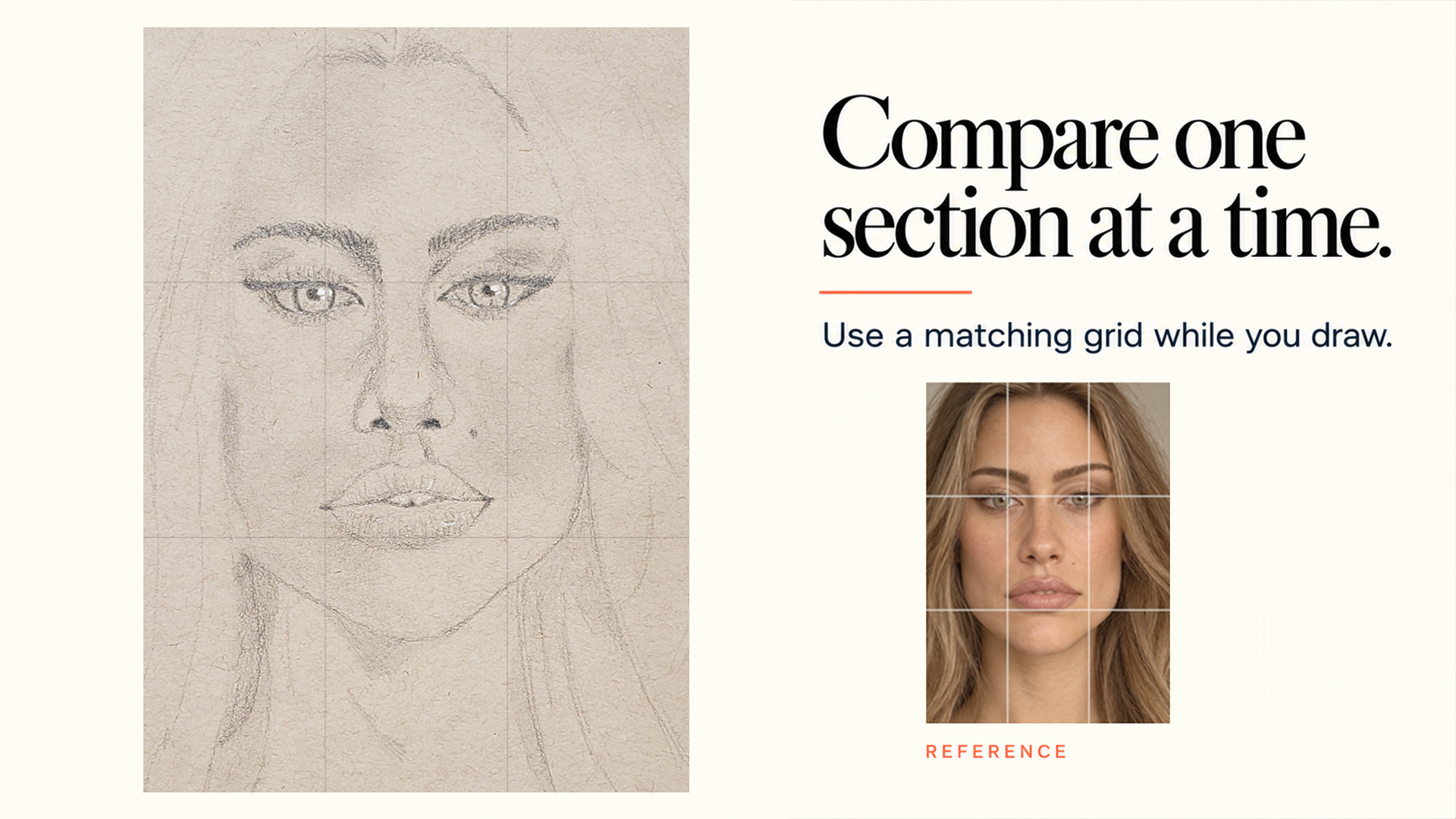
Lay a drawing grid (3×3, 4×4 or 5×5) over your reference and your canvas, and work through one section at a time with steadier landmarks.
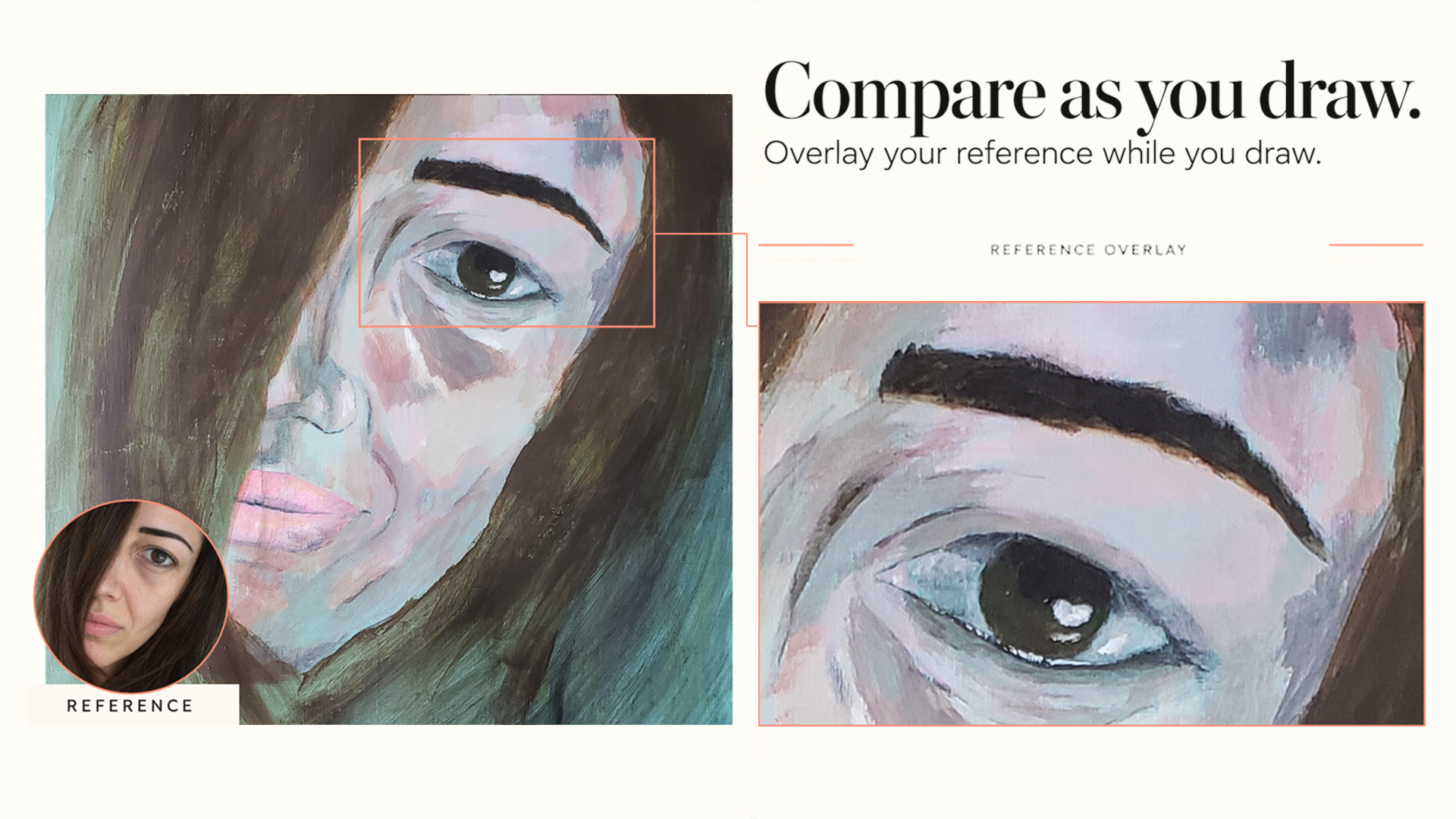
Position the reference where you need it, then keep the comparison close while you work.
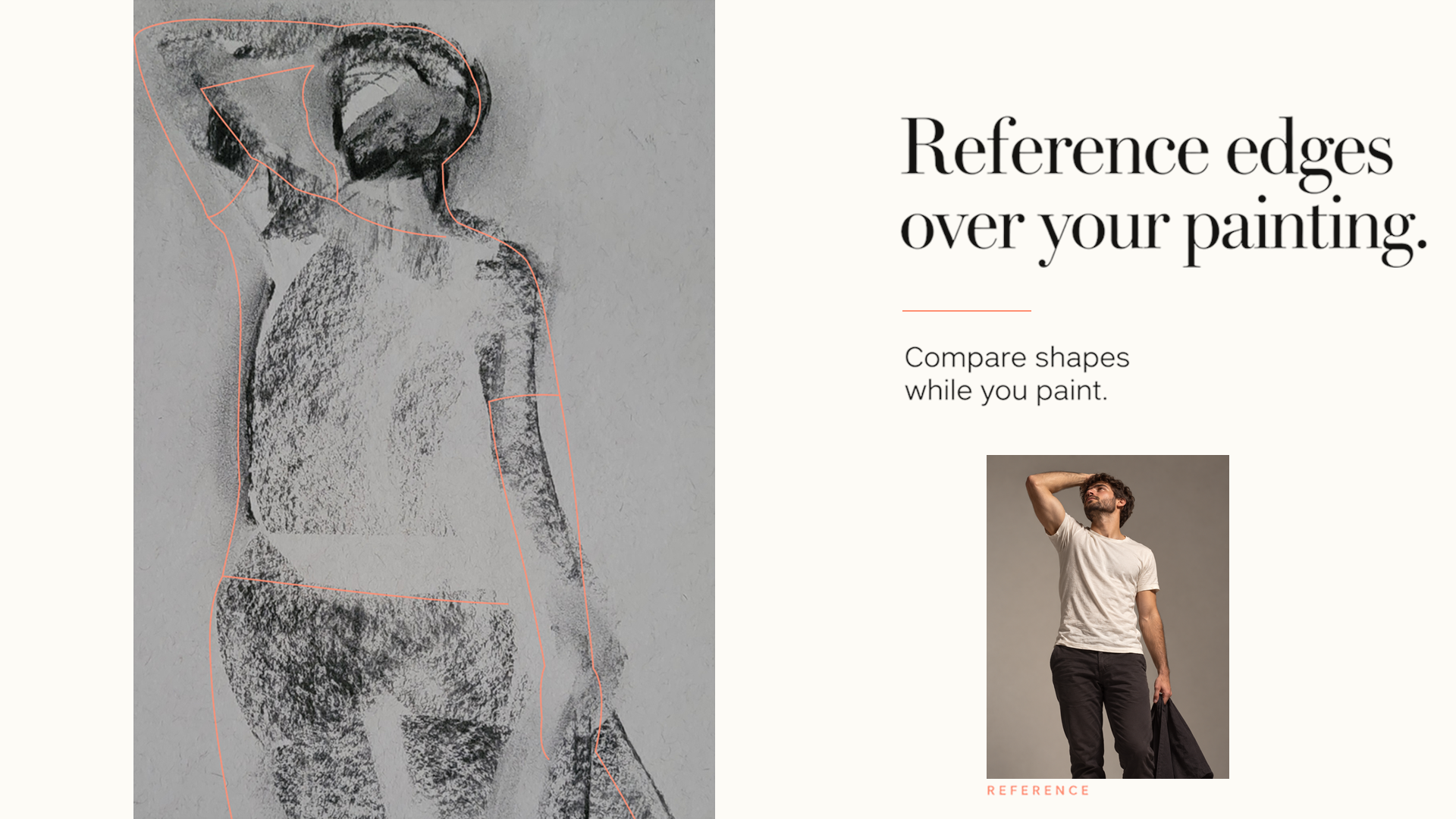
Strip the reference back to its edges when contour and placement need your full attention.
In practice
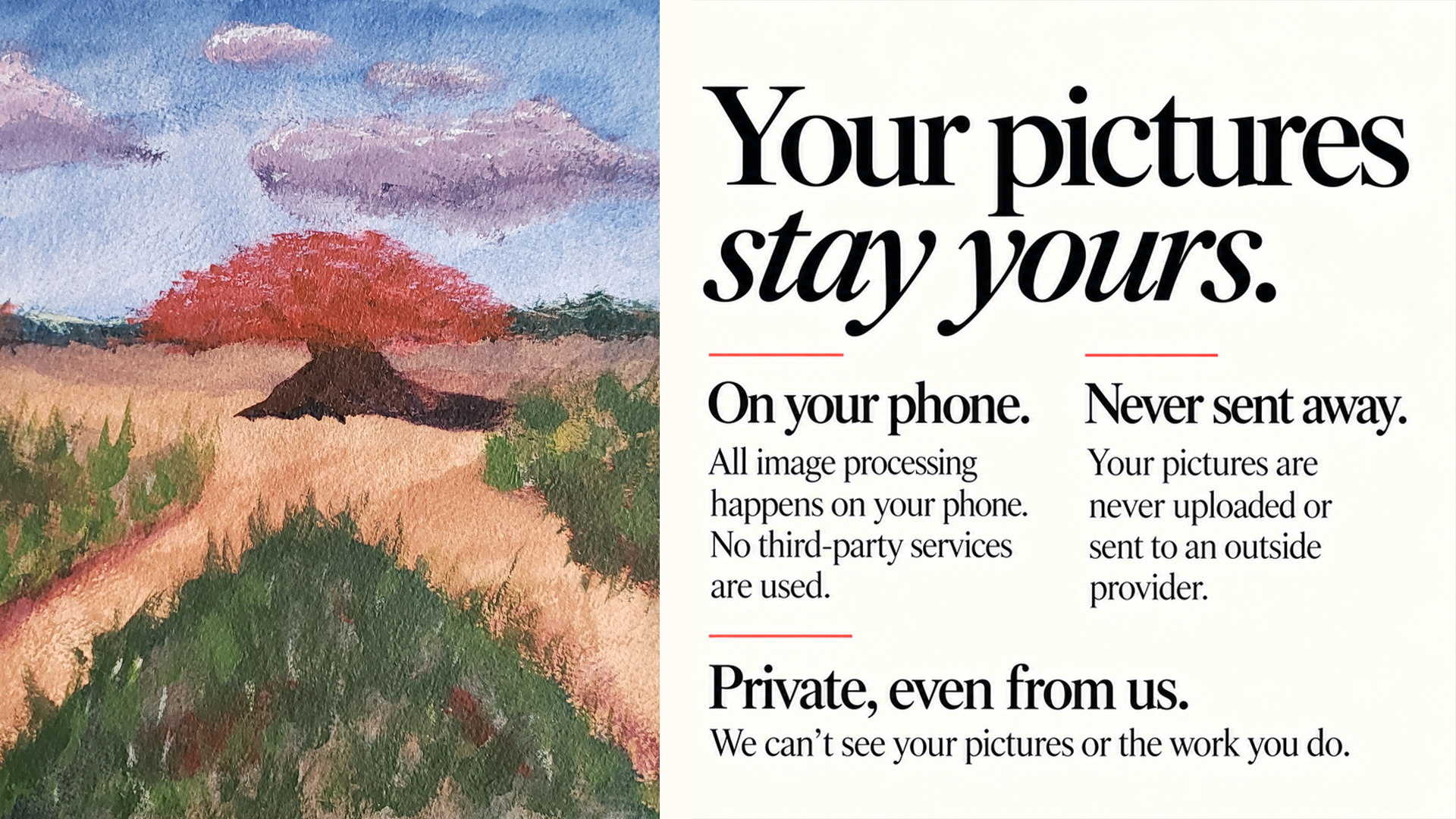
Private by design
Grisaille runs entirely on your device and works fully offline. No AI, no uploads, no account and no online services. Your camera input and reference images are processed locally, so you can focus on your work.
Read the privacy policyQuestions
Grisaille is a free Android app for painting and drawing from reference. It lays your reference photo over your canvas through your phone's camera, turns it into a value study or notan, and adds a drawing grid, so you can compare your work with the reference while you paint. Get Grisaille on Google Play
A reference overlay with adjustable opacity on top of the live camera view; value studies in smooth grayscale, notan (two values), three or five values; a drawing grid in 3×3, 4×4 or 5×5; horizontal mirroring; and edge detection on the reference or on your painting.
Yes, Grisaille is free to download on Google Play. It is in early access: every feature you get during early access stays free for you, forever, even if paid features are added later. Get Grisaille on Google Play
Yes. Grisaille works fully offline, with no internet connection and no account. Everything happens on your phone.
No. Grisaille uses no AI or online services. Reference images and camera input are processed locally on your device.
Grisaille was made by an artist, first as a tool for personal use. That's why it's practical and no-frills: it helps you check your work, then gets out of the way. For the same reason, it protects your images fully: it uses no third-party services, and nothing ever leaves your phone.
A value study is a simplified version of an image that keeps only light and dark, usually in a few tones, without color or detail. Painters use it to plan and check the pattern of light and shadow before committing to color. On Android, Grisaille turns any reference photo into a value study (smooth grayscale, three or five values) and can show it right over your painting through the camera.
Notan is a two-value study: every area of the image is either light or dark. It reveals the big design of shapes and the overall composition. To make one from a photo, decide where light ends and shadow begins, then reduce everything to black and white. Grisaille, a free Android app, does this instantly: pick Notan, move the shadow cutoff, and compare the result with your work in progress.
Compare often, starting from the largest shapes and the main landmarks, and look for differences in size, angle and placement. Seeing the reference on top of the painting makes those differences obvious. Grisaille, a free Android app, lays your reference photo over your canvas through the camera with adjustable opacity, so misplaced features and drifting proportions show up immediately.
Reference images provide concrete information about proportion, perspective, value relationships, color, and the placement of important shapes. They make it easier to check decisions against observation rather than memory.
Start with the largest shapes, the overall proportion, and the placement of the main landmarks. Smaller details become much easier to judge once the broad structure is sound.
Value groups show how light and dark areas relate to one another. Simplifying a reference into a few tones can reveal whether the main light pattern reads before detail and color distract from it.
A grid divides a complex image into manageable sections. It creates dependable landmarks for comparing the size, angle, and position of shapes one area at a time. Grisaille offers 3×3, 4×4 and 5×5 drawing grids over both your reference and your canvas.
Mirroring changes a familiar view and interrupts visual assumptions. It can make asymmetry, incorrect angles, and proportion errors easier to see.
An adjustable overlay makes differences in placement, scale, tilt, and contour easier to notice by bringing the reference and artwork into the same view.
Reducing an image to its edges is useful when contour, placement, and the directional flow of shapes need attention. It quiets visual detail so the main boundaries are easier to inspect.